
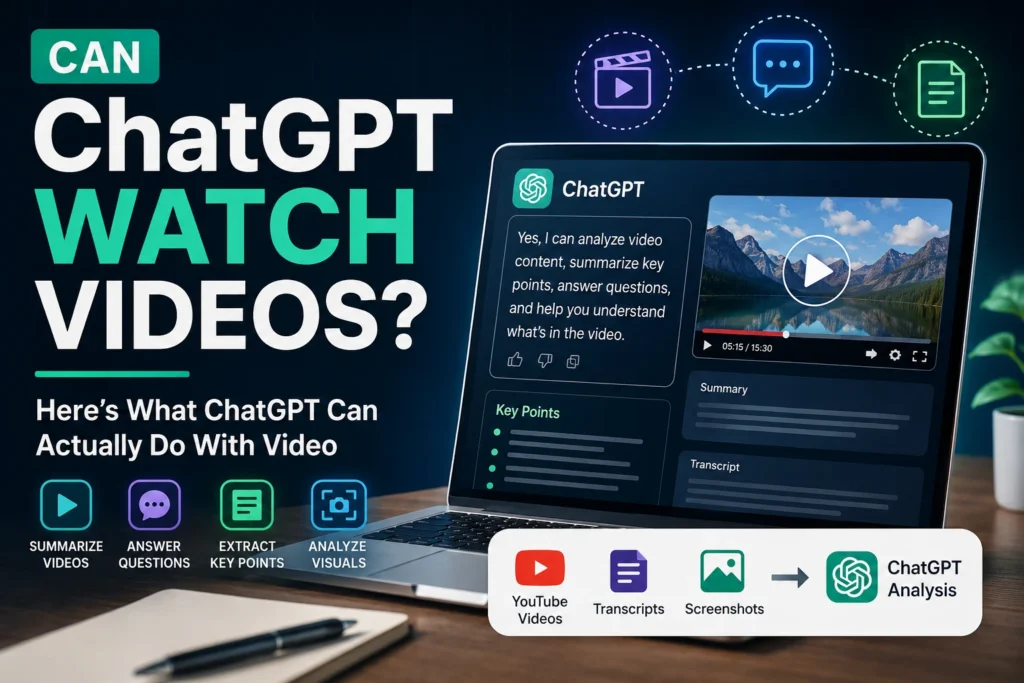
Can ChatGPT Watch Videos? Here’s What ChatGPT Can Actually Do With Video
Yes, ChatGPT can analyze video in some situations—but the exact answer depends on the ChatGPT feature, app, model, and how you share the video. ChatGPT can work with visual information, screenshots, images, transcripts, and—in supported experiences—live camera or screen content. However, uploading a video file and asking ChatGPT to process every frame like a dedicated video editor or video-analysis platform is not always supported in the same way.
That distinction matters.
Many people search “Can ChatGPT watch videos?” because they want to do something practical: summarize a YouTube video, understand a lecture, analyze a recorded meeting, extract information from a tutorial, or ask questions about something happening on screen.
The good news is that ChatGPT can be extremely useful for many of these tasks. The best method depends on the type of video you have and what you want to learn from it.
In this guide, we’ll explain how ChatGPT can analyze video content, what it can and cannot do, the best ways to summarize videos, how to use transcripts and screenshots, and which method works best for different situations.
Quick Answer: Can ChatGPT Watch Videos?
ChatGPT may be able to analyze video-related content, but its capabilities depend on the specific ChatGPT experience and available features.
In practical terms, you can use ChatGPT to:
- Analyze screenshots taken from a video
- Understand visual information from selected video frames
- Summarize a video transcript
- Answer questions about spoken content
- Analyze a video using extracted frames and audio transcripts
- Discuss video content shared through supported features
- Help explain tutorials, presentations, lectures, and demonstrations
- Analyze screen content in supported real-time experiences
However, you should not assume that every ChatGPT chat can simply accept any video file and automatically watch the entire video from beginning to end.
The most reliable workflow is often:
Video → Transcript + Important Frames → ChatGPT → Summary, Analysis, or Answers
This approach can be surprisingly powerful.
How Does ChatGPT Analyze a Video?
A video contains several types of information:
- Visual information – what appears on the screen
- Audio – spoken dialogue, narration, music, and sound effects
- Text – subtitles, presentations, charts, captions, and on-screen content
- Time-based events – what happens at specific moments
To fully understand a video, an AI system needs to process more than a single image.
For example, imagine a 30-minute tutorial about building a website.
A single screenshot might show the final website. But it would not tell ChatGPT:
- What the creator said at minute 5
- Which settings were changed at minute 12
- What error appeared at minute 18
- Which steps were completed in order
- How the project changed throughout the video
This is why video analysis usually involves combining different forms of information.
ChatGPT can help analyze:
Video Frames
Screenshots or extracted frames can show what is happening visually.
For example:
- A software interface
- A chart
- A product demonstration
- A sports moment
- A presentation slide
- A coding screen
Transcripts
A transcript gives ChatGPT access to the spoken words in the video.
This is useful for:
- Summaries
- Notes
- Key points
- Quotes
- Questions and answers
- Blog content
- Study material
User Questions
The most powerful part is often the question you ask.
Instead of simply saying:
“Analyze this video.”
You can ask:
“Summarize the three most important lessons from this video and explain each one in simple language.”
Specific instructions generally produce more useful results.
Can ChatGPT Summarize a YouTube Video?
Yes, ChatGPT can help summarize YouTube videos, but the method depends on what information is available.
The easiest approach is usually to provide the video’s transcript.
For example, you can:
- Open the video.
- Find the transcript or captions.
- Copy the transcript.
- Paste it into ChatGPT.
- Ask for a summary.
A useful prompt could be:
“Summarize this video transcript in simple language. Give me the main topic, five key points, important examples, and a short conclusion. Do not add information that is not included in the transcript.”
For a long video, you may need to process the transcript in sections.
For example:
“I will provide this video transcript in several parts. Do not summarize until I say ‘finished.’ After I provide the final part, create a complete summary of the entire video.”
This prevents the AI from creating a partial summary before receiving all the information.
Can ChatGPT Summarize a Video Without a Transcript?
Sometimes, but the answer depends on the available feature and the way the video is provided.
If ChatGPT cannot directly process the complete video file in your current experience, you can still create a transcript using a speech-to-text tool and then provide the text to ChatGPT.
This method works particularly well for:
- YouTube videos
- Interviews
- Podcasts with video
- Online classes
- Business meetings
- Webinars
- Tutorials
The transcript gives ChatGPT access to the spoken content, while screenshots can provide visual context.
For example:
Transcript:
The presenter explains how to connect a database.
Screenshot:
The screen shows the actual database configuration.
Together, these two sources provide much more context than either one alone.
Can ChatGPT Analyze a Video File?
This is one of the most common questions.
The answer is: it depends on the ChatGPT version and the specific feature you are using.
ChatGPT capabilities can change over time as new models and features become available. Some experiences may support visual or real-time video interaction, while others may focus primarily on images, documents, and text.
If your ChatGPT interface allows you to provide a video through a supported feature, you can ask questions about its content.
For example:
- “What is happening in this video?”
- “Summarize the main points.”
- “What product is being demonstrated?”
- “What steps does the presenter follow?”
- “At what point does the error appear?”
- “Explain the process shown in this video.”
If direct video upload is not available, you can use a workaround:
Method 1: Extract Key Frames
Take screenshots at important points in the video.
For example:
- Beginning
- Major transition
- Important instruction
- Error message
- Final result
Then upload the images and ask ChatGPT to analyze them.
Method 2: Extract the Audio Transcript
Convert the video’s speech into text and provide the transcript.
Method 3: Combine Both
For the best results, provide:
- Transcript
- Important screenshots
- Your specific question
This gives ChatGPT both the spoken and visual context.
Can ChatGPT Watch a Video in Real Time?
In supported ChatGPT experiences, real-time visual interaction can allow users to share camera or screen content and ask questions about what is being shown.
This is different from uploading a finished video file.
For example, you might show ChatGPT:
- A computer screen
- A physical object
- A document
- A technical setup
- A presentation
- A product
Then you can ask questions while the content is being displayed.
This can be useful when you want immediate assistance.
For example:
“What does this error message mean?”
Or:
“Which button should I click next?”
However, users should remember that AI systems can sometimes misunderstand visual information. For important decisions, you should verify the output rather than blindly following every instruction.
Can ChatGPT Watch YouTube Videos Directly?
Many people expect ChatGPT to work like a person: paste a YouTube link and ask:
“Watch this entire video and summarize it.”
Whether this works depends on the tools and capabilities available in the particular ChatGPT environment.
A link alone does not always mean that ChatGPT has processed the complete video.
For reliable results, you can provide:
- The video transcript
- A summary
- Important timestamps
- Screenshots
- The specific section you want analyzed
For example, instead of asking:
“Watch this video.”
Try:
“Here is the transcript of a 20-minute video. Create a detailed summary, identify the main argument, list the practical steps, and explain any technical terms for beginners.”
This gives the AI clear information to work with.
How to Use ChatGPT to Analyze a Video: The Best Workflow
Here is a practical workflow that works for many types of videos.
Step 1: Decide What You Want From the Video
Before asking ChatGPT to analyze a video, decide your goal.
Do you want:
- A short summary?
- Detailed notes?
- A fact-checking review?
- A list of important steps?
- A blog post?
- Social media content?
- Study notes?
- A technical explanation?
Your goal affects the best prompt.
Step 2: Get the Transcript
If the video includes spoken content, a transcript is extremely useful.
You can use the transcript to ask ChatGPT:
“Summarize this video in 10 bullet points.”
Or:
“Turn this transcript into organized study notes.”
Or:
“Find the most important claims made in this video.”
Step 3: Add Screenshots When Visual Information Matters
A transcript alone may not explain everything.
Suppose the video is a software tutorial.
The transcript might say:
“Now click the settings icon and change the API configuration.”
But a screenshot can show exactly where the icon is and what the configuration looks like.
Screenshots are particularly useful for:
- Software tutorials
- Coding videos
- Data analysis
- Presentations
- Charts
- Product demonstrations
- Design tutorials
Step 4: Ask a Specific Question
The more specific your request, the more useful the response usually becomes.
Weak Prompt
“Analyze this video.”
Better Prompt
“Summarize this video in 500 words and explain the three most important ideas.”
Even Better Prompt
“Analyze this video transcript as a technology journalist. Identify the main topic, key claims, practical steps, limitations, and the target audience. Present the answer with clear headings and a concise conclusion.”
20 Useful ChatGPT Prompts for Video Analysis
Here are some prompts you can use.
1. Simple Video Summary
“Summarize this video in simple language. Give me the main topic, five key points, and the final conclusion.”
2. Detailed Summary
“Create a detailed summary of this video. Organize the information by topic and preserve the original sequence of ideas.”
3. Study Notes
“Turn this video transcript into clear study notes with headings, definitions, examples, and revision points.”
4. YouTube Content Analysis
“Analyze this video as a YouTube content strategist. Identify the hook, main topic, audience, key points, and opportunities to improve the content.”
5. Technical Tutorial
“Extract every technical step from this tutorial and organize them into a beginner-friendly step-by-step guide.”
6. Video to Blog Post
“Turn this video transcript into an original, helpful blog post. Do not copy the transcript word-for-word. Organize the information naturally for readers.”
7. Social Media Content
“Create 10 social media posts based on the key ideas from this video. Make each post unique and engaging.”
8. Find Important Moments
“Identify the most important moments in this transcript and explain why each one matters.”
9. Beginner Explanation
“Explain this video as if you are teaching the topic to a complete beginner.”
10. Fact-Checking Preparation
“List the factual claims made in this transcript that should be independently verified.”
11. Meeting Analysis
“Summarize this meeting transcript. Separate decisions, action items, unresolved issues, and assigned responsibilities.”
12. Interview Analysis
“Analyze this interview and identify the main arguments, strongest answers, contradictions, and important quotes.”
13. Coding Video
“Extract the coding concepts demonstrated in this video and explain each concept with a simple example.”
14. Product Review
“Analyze this product review and separate objective features from the creator’s personal opinions.”
15. News Video
“Summarize this news video and separate reported facts, opinions, predictions, and claims that require verification.”
16. Video Script Improvement
“Review this video transcript and suggest improvements to the hook, structure, clarity, pacing, and conclusion.”
17. SEO Analysis
“Analyze this video transcript and identify potential SEO keywords, search intent, related topics, and article ideas.”
18. Create an FAQ
“Based on this video transcript, create 15 useful questions and answers for beginners.”
19. Compare Two Videos
“Compare the key arguments and conclusions of these two video transcripts. Identify similarities, differences, and contradictions.”
20. Extract Actionable Advice
“Extract only the practical advice from this video and turn it into a clear checklist.”
Can ChatGPT Analyze Video Audio?
Yes, when the audio is available through a supported workflow or converted into a transcript, ChatGPT can help analyze spoken content.
This is useful for:
- Interviews
- Podcasts
- Lectures
- Webinars
- Meetings
- Speeches
- Video essays
The quality of the analysis depends heavily on the quality of the transcript.
If the transcript contains mistakes caused by:
- Background noise
- Strong accents
- Multiple speakers
- Technical terms
- Poor audio quality
then ChatGPT may misunderstand parts of the discussion.
A useful prompt is:
“Analyze this transcript, but clearly identify any sections that appear unclear or potentially mis-transcribed. Do not confidently invent missing words.”
That final instruction is important.
Can ChatGPT Understand What Is Happening Visually in a Video?
AI vision systems can analyze visual information, but video understanding is more complex than image understanding.
A single image can show:
“A person is standing next to a car.”
A video can show:
- The person walking toward the car
- Opening the door
- Entering the vehicle
- Starting the engine
- Driving away
Understanding the sequence requires temporal context.
When working with selected frames, it is helpful to provide timestamps.
For example:
- 00:00 – Introduction
- 02:15 – Product shown
- 05:30 – Main demonstration
- 09:45 – Error appears
- 12:00 – Final result
This helps organize the visual information.
Can ChatGPT Analyze a Video for SEO?
Absolutely.
This is especially useful for content creators and bloggers.
You can provide a video transcript and ask ChatGPT to extract:
- Primary keywords
- Long-tail keywords
- Related questions
- Search intent
- Content gaps
- FAQ ideas
- Blog topics
- YouTube titles
- Meta descriptions
For example:
“Analyze this video transcript for SEO. Identify the main keyword, secondary keywords, long-tail keywords, related questions, and five blog post ideas based on the content.”
You can also turn a video into a complete content strategy.
One video can become:
- A blog post
- An email newsletter
- Five X posts
- Three LinkedIn posts
- An Instagram carousel
- A YouTube Short script
- An FAQ article
For content creators, this can save a significant amount of time.
Can ChatGPT Turn a Video Into a Blog Post?
Yes, a transcript can be transformed into a blog post.
But there is an important difference between republishing a transcript and creating a useful article.
A high-quality article should:
- Have a clear structure
- Answer the reader’s question
- Remove unnecessary repetition
- Explain complex ideas
- Add useful context
- Use natural headings
- Include FAQs where appropriate
A good prompt is:
“Turn this transcript into an original, helpful, SEO-friendly article. Preserve the important information, remove repetition, improve the structure, and write in a natural human tone. Do not copy sentences unnecessarily from the transcript.”
This is particularly useful for:
- Tech blogs
- AI websites
- Education websites
- Business websites
- News analysis
- Tutorial websites
What Are the Limitations of ChatGPT Video Analysis?
ChatGPT is powerful, but it is not perfect.
1. It May Not Process Every Video Directly
The ability to upload or interact with a complete video can depend on the current ChatGPT experience and available features.
2. It Can Misunderstand Visual Context
A single frame may not explain what happened before or after it.
3. Transcripts Can Contain Errors
Speech-to-text systems sometimes misunderstand names, technical terms, or accents.
4. It May Not Know Whether a Claim Is True
A video can contain inaccurate information.
ChatGPT can help identify claims that need checking, but important facts should be independently verified.
5. Long Videos May Need to Be Processed in Sections
A two-hour video may contain too much information to analyze effectively in a single request.
Breaking the content into logical sections often produces better results.
The Best Way to Analyze a Long Video With ChatGPT
For a long video, use this process:
First, Divide the Video
Break it into sections based on:
- Chapters
- Topics
- Time periods
Second, Summarize Each Section
Ask ChatGPT to summarize each part.
Third, Create a Master Summary
After all sections are processed, ask:
“Using all the section summaries above, create one complete summary of the entire video. Remove duplicate information and preserve the most important ideas.”
Fourth, Ask Follow-Up Questions
Now you can ask:
- “What was the main argument?”
- “What were the most important examples?”
- “What action steps were recommended?”
- “What information was missing?”
- “Which claims need verification?”
This staged approach is often better than trying to process a very long video all at once.
Can ChatGPT Watch Videos for Free?
The answer depends on the ChatGPT plan, available features, model, and current product limitations.
Features can change over time, so users should check the current capabilities of their ChatGPT account and app.
Even without direct full-video processing, you can still use ChatGPT effectively with:
- Transcripts
- Screenshots
- Extracted frames
- Summaries
- Notes
- Audio-to-text conversion
The important thing is that you do not necessarily need to provide the entire video to get valuable analysis.
Final Verdict: Can ChatGPT Watch Videos?
Yes, ChatGPT can help you understand and analyze video content, but “watching a video” can mean different things depending on the feature you are using.
The most reliable approach is to combine:
Transcript + Important Screenshots + A Clear Prompt
For example, if you want to analyze a technology tutorial, provide the transcript and screenshots of the important steps. If you want to summarize an interview, provide the transcript. If you need help understanding a visual demonstration, provide key frames with timestamps.
The biggest mistake is asking a vague question such as:
“Watch this video.”
Instead, tell ChatGPT exactly what you want:
“Analyze this video and create a beginner-friendly step-by-step guide. Identify the important concepts, explain the technical terms, and list any limitations mentioned by the presenter.”
That simple change can make the results dramatically better.
For students, creators, researchers, marketers, developers, and business professionals, ChatGPT can turn video content into summaries, notes, articles, FAQs, SEO content, social media posts, study guides, and actionable insights.
So, the short answer is:
ChatGPT can be a powerful video-analysis assistant—but the best results come from giving it the right combination of video information and clear instructions.
Frequently Asked Questions
Can ChatGPT watch a YouTube video?
ChatGPT’s ability to directly process a YouTube video depends on the available features and the specific ChatGPT experience. Providing the transcript is often the most reliable way to get a detailed summary.
Can ChatGPT summarize a video?
Yes. ChatGPT can summarize video content when it has access to the relevant information through supported video features, transcripts, audio, screenshots, or extracted frames.
Can ChatGPT analyze a video file?
This depends on the available ChatGPT features and supported file types. If direct video analysis is unavailable, you can use a transcript and important screenshots.
Can ChatGPT analyze video screenshots?
Yes. Screenshots can help ChatGPT understand visual information from a video, including interfaces, charts, presentations, products, and demonstrations.
Can ChatGPT turn a video into an article?
Yes. A transcript can be transformed into an original article, guide, tutorial, FAQ, or SEO-focused blog post.
Can ChatGPT analyze a long video?
Yes, but long videos are usually best handled in sections. Summarize each section first, then create a complete summary of the entire video.
Can ChatGPT extract information from a video?
Yes, depending on the available input method. It can help extract key points, steps, claims, topics, questions, and actionable advice from video-related content.
What is the best prompt for analyzing a video?
A strong prompt clearly explains the desired output. For example:
“Analyze this video content and provide a detailed summary, the main ideas, important examples, practical action steps, and any claims that should be independently verified.”