
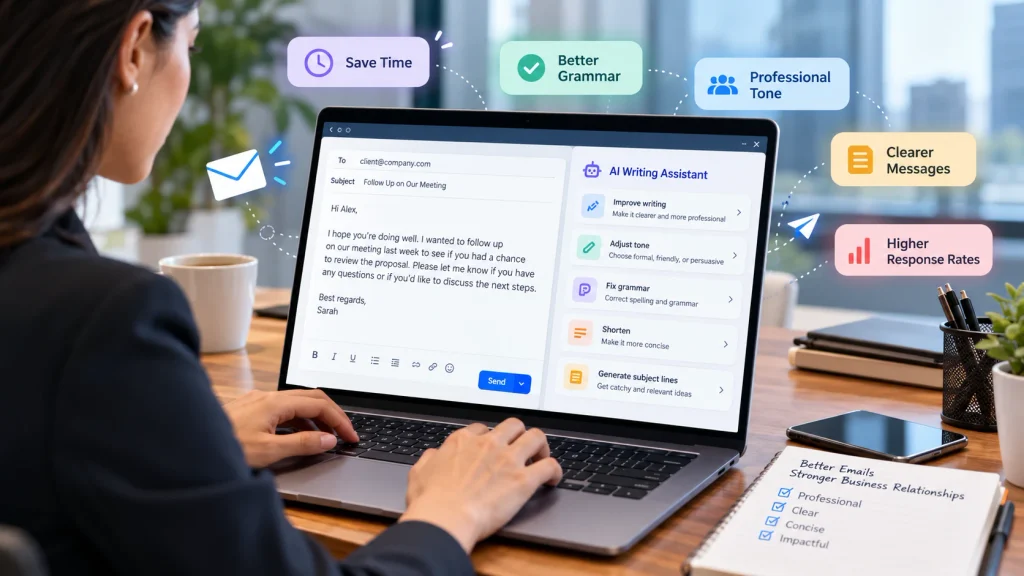
How AI Writing Assistants Improve Business Emails: Benefits, Examples, and Best Practices
Business emails play an essential role in modern professional communication. Whether you are contacting a potential customer, responding to a client, following up with a business partner, or communicating with your team, the way you write an email can influence how people perceive your professionalism.
However, writing effective business emails is not always easy. Finding the right words, maintaining a professional tone, correcting grammatical mistakes, and communicating your message clearly can take more time than expected. When employees send dozens of emails every day, these small tasks can quickly become a significant part of their workload.
This is where AI writing assistants can make a difference.
AI writing assistants use artificial intelligence to help users draft, rewrite, edit, summarize, and improve written communication. They can suggest better wording, correct grammar, adjust tone, and help professionals organize their ideas into clear, readable messages.
Understanding how AI writing assistants improve business emails can help individuals and organizations communicate more efficiently without sacrificing the personal touch that professional relationships require.
In this guide, you will learn how AI email writing tools work, their main benefits, practical business email examples, potential limitations, and the best practices for using them effectively.
What Is an AI Writing Assistant?
An AI writing assistant is a software tool that uses artificial intelligence and natural language processing to help people create and improve written content.
Depending on the tool, its features may include grammar correction, sentence rewriting, tone adjustment, email drafting, summarization, translation, and suggestions for making messages more concise.
Popular AI tools, including ChatGPT, Grammarly, and Microsoft Copilot, offer features that can support different aspects of business email writing. The available capabilities vary by product, subscription, and workplace integration.
For example, you can ask an AI writing assistant to:
- Draft a professional email requesting a meeting.
- Rewrite a message to make it more polite.
- Correct spelling and grammar mistakes.
- Shorten a lengthy email without losing important information.
- Create a follow-up email after a sales conversation.
- Adjust the tone of a message for a customer, manager, or colleague.
- Suggest a clear subject line for an important announcement.
Rather than replacing the person writing the email, an AI assistant helps turn their ideas into more effective communication.
How AI Writing Assistants Improve Business Emails
AI writing assistants can improve business emails in several practical ways. Their greatest value comes from helping professionals communicate clearly, save time, and maintain consistency across everyday correspondence.
1. They Help You Write Professional Emails Faster
One of the biggest advantages of AI email writing tools is their ability to reduce the time required to prepare routine messages.
Employees often write similar emails repeatedly, such as meeting requests, project updates, customer responses, order confirmations, and appointment reminders.
Starting every email from a blank page can be inefficient. An AI assistant can generate a first draft based on a short description of the purpose, recipient, and desired tone.
For example, you could enter:
“Write a professional email asking a client to confirm our project meeting for Thursday afternoon.”
The tool may generate a complete email with a subject line, greeting, meeting details, and closing.
You can then review the draft, verify the information, and personalize it before sending.
Why it matters: Employees can spend less time composing routine messages and more time handling tasks that require their experience, judgment, and attention.
AI-generated drafts should still be reviewed carefully, especially when an email contains deadlines, financial details, contractual commitments, or sensitive information.
2. They Improve Grammar, Spelling, and Sentence Structure
Grammar and spelling mistakes can make an otherwise valuable message difficult to understand. In some situations, repeated errors may also affect the reader’s perception of a company’s professionalism.
AI writing assistants can identify common language problems and suggest corrections.
They may help with:
- Incorrect verb tenses.
- Misspelled words.
- Missing punctuation.
- Awkward sentence construction.
- Repeated words and unnecessary phrases.
- Inconsistent capitalization.
- Unclear or overly complicated sentences.
Consider this example.
Before:
“Dear Sir, I am writing for know about the payment which was not received yet. Please do the needful as soon as possible.”
After:
“Dear Mr. Sharma,
I am writing to follow up on the outstanding payment. Could you please confirm its current status and let me know when we can expect it to be processed?
Thank you for your assistance.
Best regards,
Rahul”
The revised version is more natural, specific, and professional.
The goal is not to make every email sound complicated or overly formal. It is to make the message easy to understand and appropriate for the recipient.
3. They Help You Choose the Right Tone
Tone is one of the most important elements of business communication.
An email can be grammatically correct but still sound too aggressive, too casual, overly apologetic, or unnecessarily demanding.
AI writing assistants can help adjust tone according to the situation.
For example, you might need to communicate the same request in different ways:
- Formal: Appropriate for senior management, new clients, and official correspondence.
- Friendly: Useful for established business relationships and internal teamwork.
- Diplomatic: Helpful when discussing disagreements, delays, or mistakes.
- Persuasive: Suitable for sales proposals and business pitches.
- Empathetic: Important when responding to customer complaints.
- Concise: Useful for quick updates and busy recipients.
Suppose you need to remind a customer about an overdue invoice.
Instead of writing, “You still haven’t paid the invoice,” you could ask an AI assistant to make the message more diplomatic.
It might suggest:
“Hello Priya,
I wanted to follow up on invoice #1042, which appears to remain outstanding. Could you please let us know if payment has been scheduled or if you need any additional information from our side?
Thank you for your time.
Best regards,
Ankit”
The revised message communicates the issue directly without unnecessarily damaging the business relationship.
However, tone suggestions are not always perfect. You should consider cultural expectations, the recipient’s communication style, and the seriousness of the situation before using the suggested wording.
4. They Make Emails Clearer and More Concise
Long emails can overwhelm readers, especially when they contain multiple paragraphs, repeated explanations, or unnecessary background information.
AI writing tools can help identify redundant sentences, simplify complex wording, and reorganize information into a more readable structure.
For example, a lengthy project update might contain several paragraphs describing completed tasks, pending approvals, and upcoming deadlines.
An AI assistant can reorganize it into three sections:
- Completed work.
- Outstanding issues.
- Next steps and deadlines.
This makes it easier for recipients to identify the information that requires their attention.
Clear business emails generally benefit from a straightforward structure:
- State the purpose of the email.
- Provide the necessary context.
- Explain the requested action.
- Include relevant deadlines or supporting details.
- Close politely.
AI can help you follow this structure consistently.
Nevertheless, concise writing should not mean removing essential details. A short email that leaves the recipient confused may create more work than a slightly longer, well-organized message.
5. They Help Create Better Email Subject Lines
The subject line is often the first indication of what an email contains. A vague subject may make a message harder to prioritize, while a specific subject helps the recipient understand its purpose.
AI writing assistants can suggest subject lines based on the email’s content.
For example:
| Email purpose | Suggested subject line |
|---|---|
| Meeting request | Meeting Request: Product Review on Thursday |
| Payment reminder | Payment Follow-Up: Invoice #1042 |
| Project update | Weekly Project Update — October 12 |
| Sales outreach | Exploring Ways to Improve Your Team’s Workflow |
| Document request | Action Required: Review the Attached Proposal |
| Interview scheduling | Interview Availability for the Marketing Role |
The best subject lines are informative, specific, and proportionate to the importance of the message.
Avoid misleading urgency, excessive capitalization, or sensational wording. AI suggestions should help recipients understand the email, not manipulate them into opening it.
6. They Support More Effective Customer Service
Customer service teams handle a wide range of questions, complaints, product inquiries, and requests for assistance.
Writing every response manually can be time-consuming, particularly when many customers ask similar questions.
AI email assistants can help representatives draft responses that are clear, polite, and consistent with the company’s communication standards.
For example, when a customer reports a delayed delivery, an assistant might help structure the response as follows:
- Acknowledge the customer’s concern.
- Apologize for the inconvenience when appropriate.
- Share verified information about the order.
- Explain the next steps.
- Provide a realistic update or follow-up commitment.
Example:
“Hello Priya,
Thank you for contacting us. I’m sorry your order has not arrived as expected.
We are checking the latest delivery information with our shipping partner and will update you as soon as we have confirmation.
We appreciate your patience and apologize for the inconvenience.
Best regards,
Customer Support Team”
The example should only be used if the company is genuinely checking the shipment.
AI can improve the wording of a response, but it cannot independently guarantee that the underlying information is accurate. Customer service employees must verify order details, refund policies, delivery estimates, and any promises before sending the message.
7. They Improve Sales and Marketing Emails
Sales professionals frequently send introductory emails, follow-ups, proposal messages, and meeting requests. The quality of these messages can influence whether a prospect responds.
AI writing assistants can help sales teams develop clearer, more relevant emails by organizing a value proposition, highlighting a prospect’s likely needs, and suggesting an appropriate call to action.
For example, instead of sending a generic message such as “We provide the best software services,” a salesperson can use AI to explain a specific business benefit.
Example sales email:
Subject: A Simpler Way to Manage Your Team’s Projects
Hi Alex,
I wanted to introduce our project management platform, which helps teams organize tasks, monitor deadlines, and keep project updates in one place.
If improving project visibility is a priority for your team, I’d be happy to arrange a short demonstration and show you how the platform works.
Would you be available for a 15-minute conversation next week?
Best regards,
Jordan
This message explains the potential value, keeps the request simple, and gives the recipient a clear next step.
For stronger results, provide the AI assistant with accurate information about the recipient, the product, and the reason for contacting them. Do not invent personal connections, customer results, or product capabilities to make a message sound more convincing.
8. They Make Follow-Up Emails Easier
Following up is an essential part of sales, recruitment, project management, and client communication.
However, writing a follow-up email can feel awkward when the recipient has not responded.
AI assistants can help create reminders that are polite, direct, and relevant to the original conversation.
Example:
Subject: Following Up on Our Proposal
Hi Alex,
I hope you’re doing well.
I’m following up on the proposal I shared last week to see whether you’ve had an opportunity to review it.
I’d be happy to answer any questions or discuss adjustments that would better suit your requirements.
Please let me know if you’d like to schedule a quick conversation.
Best regards,
Jordan
This message keeps the conversation open without putting unnecessary pressure on the recipient.
You can also ask an AI tool to create different versions for a first follow-up, a final reminder, or a follow-up after a meeting.
The appropriate timing and frequency will depend on the business relationship, the original request, and any agreed deadlines.
9. They Help Standardize Communication Across Teams
In larger organizations, different employees may use different writing styles. Some emails may be highly formal, while others are too casual or lack important details.
AI writing assistants can help teams establish more consistent communication practices.
Businesses can provide approved templates, tone guidelines, terminology, and examples of preferred email formats. Employees can then use these resources when drafting common messages.
For example, a company might establish standard formats for:
- Customer support responses.
- Sales introductions.
- Meeting invitations.
- Internal project updates.
- Recruitment correspondence.
- Invoice reminders.
- Service announcements.
Standardization can make communication more recognizable and reduce the likelihood of important details being overlooked.
However, consistency should not eliminate personalization. A sensitive customer complaint requires a different approach from a routine appointment confirmation, even when both messages follow company guidelines.
10. They Support Multilingual Business Communication
Businesses increasingly communicate with customers, suppliers, employees, and partners across different countries.
Writing professional emails in a second language can be challenging. A message may be understandable but contain unnatural phrasing, incorrect idioms, or a tone that does not fit the recipient.
AI writing assistants can help translate and refine messages, simplify complex sentences, and suggest more natural wording in supported languages.
For example, a professional who normally communicates in Hindi may draft the main points in Hindi and ask an AI tool to produce a polished English business email.
This can reduce the effort required to prepare correspondence for international clients.
However, AI translation can miss cultural nuances, technical terminology, and legal meanings. Important commercial, contractual, and compliance-related communications should receive additional review from a qualified person when necessary.
Practical Examples of AI-Assisted Business Emails
The following examples demonstrate how AI can improve common business email situations.
Example 1: Requesting a Meeting
Original draft:
“Hi, I want to meet you regarding the project. Tell me when you are free.”
Improved version:
Subject: Meeting Request to Discuss Project Progress
Hello Michael,
I would like to schedule a meeting to discuss the current project status and agree on the next steps.
Would you be available on Tuesday or Wednesday afternoon? Please let me know which time works best for you.
Best regards,
David
Improvement: The revised email explains the purpose, offers scheduling options, and uses a professional tone.
Example 2: Responding to a Customer Complaint
Original draft:
“We are not responsible for this delay. Contact the delivery company.”
Improved version:
Subject: Update Regarding Your Delivery
Hello Sarah,
Thank you for bringing this issue to our attention. I’m sorry for the inconvenience caused by the delivery delay.
We will review the available shipment information and help identify the appropriate next steps. We will share an update once we have verified the details.
Thank you for your patience.
Best regards,
Customer Support
Improvement: The revised response acknowledges the concern and focuses on resolving the issue rather than immediately shifting responsibility.
Example 3: Requesting a Project Update
Original draft:
“Send me the project report quickly because we need it.”
Improved version:
Subject: Request for Project Report by Friday
Hi Emma,
Could you please share the latest project report by Friday afternoon? We need the updated information to prepare for next week’s review meeting.
Please let me know if you anticipate any delays or need additional support.
Thank you,
Daniel
Improvement: The revised email includes a clear deadline, explains why the report is needed, and invites the recipient to raise potential problems.
Best AI Writing Assistants for Business Emails
Different tools offer different features, so the best choice depends on your email platform, budget, privacy requirements, and preferred writing style.
ChatGPT
ChatGPT can help draft emails from brief instructions, rewrite existing messages, adjust tone, summarize long conversations when the relevant context is provided, and create reusable templates.
It is particularly useful when you want to experiment with several versions of the same email.
Grammarly
Grammarly focuses on writing assistance, including grammar, spelling, clarity, and tone-related suggestions. Depending on the plan and integration, it can also help users compose and rewrite business messages.
It can be useful for professionals who want feedback while writing.
Microsoft Copilot
Microsoft Copilot offers AI assistance within supported Microsoft products and subscriptions. Depending on the configuration, it can help users draft and refine emails in Outlook and work with relevant Microsoft 365 context.
It may be a convenient option for organizations already using Microsoft 365.
Google Gemini
Google Gemini can assist with email drafting, rewriting, summarization, and other writing tasks. Its Gmail-related capabilities depend on the available Google Workspace features, account type, and settings.
It may be useful for professionals who already work in Google’s productivity ecosystem.
How should you choose?
Start by identifying the main problem you want to solve. If you need help creating email drafts from scratch, prioritize drafting flexibility. If you need corrections while writing, prioritize editing and integration features. If you work with an organization, review its approved tools, security policies, and administrative controls before selecting a service.
Always check current product features, pricing, and data-handling terms before making a purchasing decision.
How to Use an AI Writing Assistant for Better Business Emails
You do not need advanced technical skills to use AI email writing tools effectively. A clear workflow is often enough.
Step 1: Identify the Purpose
Before opening an AI tool, decide what the email needs to accomplish.
Are you requesting information, sharing an update, resolving a complaint, arranging a meeting, or proposing a business opportunity?
A clear objective helps the tool produce a more relevant draft.
Step 2: Provide the Necessary Context
Include the recipient’s role, the relationship, the main message, and any important details.
For example:
“Write an email to an existing client explaining that the project delivery date has changed from October 15 to October 20. Use a professional and apologetic tone, briefly explain that additional testing is required, and ask the client to confirm whether the revised date works.”
Do not include confidential information unless the tool and your organization’s policies permit its use.
Step 3: Specify the Tone and Length
Tell the assistant how the email should sound.
Useful instructions include:
- Keep the email professional and friendly.
- Use simple, natural English.
- Limit the email to approximately 150 words.
- Be polite but direct.
- Avoid unnecessary jargon.
- Include a clear call to action.
Specific instructions usually produce more useful drafts than a request to “write a good email.”
Step 4: Review the Draft
Read the email carefully before using it.
Check whether the message reflects your actual intention, whether the details are accurate, and whether the tone suits the recipient.
Remove generic phrases, repetitive explanations, or claims that you cannot verify.
Step 5: Personalize the Message
Add relevant details that make the email specific to the conversation.
This could include the client’s name, a previous discussion, an agreed deadline, a project reference, or a meaningful question.
Personalization helps ensure that the final email sounds like communication from a real professional rather than a generic automated message.
Step 6: Check Privacy and Send
Before sending, confirm that the message contains no incorrect attachments, private information, or unintended commitments.
If your workplace has rules about AI-generated content, external services, or customer data, follow them.
Only send the email when you are confident that the final version is accurate and appropriate.
Limitations of AI Writing Assistants in Business Communication
Although AI email tools offer useful benefits, they are not perfect.
They Can Produce Incorrect Information
AI systems can generate statements that sound convincing but are factually wrong. Dates, prices, policy details, customer information, and technical claims must be verified.
They May Sound Generic
Overusing AI-generated language can make business communication feel repetitive or impersonal. Adding specific context and editing the draft helps preserve an authentic voice.
They Cannot Fully Understand Every Relationship
A tool may not recognize the history behind a disagreement, the sensitivity of a negotiation, or the informal communication style shared by two colleagues.
Human judgment remains important.
They Can Create Privacy Risks
Business emails may contain customer records, financial details, internal plans, or confidential commercial information.
Before entering information into an AI tool, review its privacy terms and your organization’s policies. Use approved business accounts and appropriate data-protection controls.
They Do Not Guarantee Better Business Results
A polished email does not automatically produce a sale, resolve a complaint, or secure a meeting.
Results depend on the relevance of the message, the quality of the offer, the recipient’s needs, the timing, and many other factors.
The most effective approach is to use AI as a writing partner while retaining human responsibility for the message.
Best Practices for Using AI Email Writing Tools at Work
To get the most value from AI-assisted email writing, follow these practical recommendations:
- Start with a clear objective. Decide what the recipient should understand or do after reading the email.
- Give specific instructions. Mention the recipient, purpose, tone, length, and desired outcome.
- Use verified information. Never assume AI-generated facts, dates, or commitments are correct.
- Preserve your natural voice. Edit the draft so it reflects your personality and the organization’s communication style.
- Keep sensitive information protected. Use only tools approved for the type of information you handle.
- Avoid unnecessary complexity. Professional emails should be clear rather than filled with corporate jargon.
- Personalize important messages. Sales emails, apologies, negotiations, and sensitive communications deserve extra attention.
- Measure practical results. Track drafting time, revision effort, response rates, or customer feedback where appropriate.
- Use templates thoughtfully. Standardize routine communications without making every email identical.
- Keep humans accountable. The person sending the email is responsible for its accuracy, tone, and promises.
The Future of AI-Assisted Business Email Writing
AI-assisted email writing is becoming part of a broader shift toward AI-supported workplace productivity.
As tools develop, businesses may benefit from more context-aware drafting, improved integration with productivity platforms, personalized communication suggestions, and better ways to organize lengthy email conversations.
Some systems can already work with relevant information from supported applications, depending on the product and permissions. However, access to email history, customer records, calendars, and company documents is not universal.
Organizations should evaluate these capabilities carefully, especially when using AI for customer communication or handling confidential business information.
The most promising approach is not to automate every email. It is to identify repetitive tasks where AI can reduce effort while keeping people involved in important decisions.
Professionals who learn to give clear instructions, evaluate generated drafts, and use AI responsibly can make business communication more efficient without losing the judgment and empathy that relationships require.
Frequently Asked Questions (FAQs)
1. How do AI writing assistants improve business emails?
AI writing assistants improve business emails by helping users correct grammar, refine tone, simplify sentences, generate drafts, suggest subject lines, and organize information. These capabilities can save time and make messages easier to understand, provided the final draft is reviewed by a person.
2. Can AI write professional business emails automatically?
Yes. Many AI tools can generate a complete email from a short prompt. Users can specify the recipient, purpose, tone, and important details. However, AI-generated emails should be reviewed for accuracy, relevance, privacy, and appropriate wording before sending.
3. What is the best AI tool for writing business emails?
The best tool depends on your needs. ChatGPT is useful for flexible drafting and rewriting, Grammarly offers writing and editing assistance, Microsoft Copilot supports workflows in compatible Microsoft products, and Google Gemini can assist with writing in supported Google Workspace environments. Features and availability vary by plan and account.
4. Can AI make business emails sound more professional?
Yes. AI can suggest more polished language, improve sentence structure, remove awkward wording, and adjust tone. To achieve the best results, provide context about the recipient and the relationship, then edit the response to ensure it sounds natural.
5. Does AI email writing save time?
It can. AI may reduce the time spent creating routine drafts, editing language, and developing templates. The actual time saved depends on the complexity of the email, the quality of the instructions, and the amount of human review required.
6. Is it safe to use AI for business emails?
AI can be used safely when appropriate tools and safeguards are in place. Review data-handling terms, organizational policies, and access permissions before entering sensitive information. Avoid submitting confidential customer data or internal business information to unapproved services.
7. Can small businesses benefit from AI email writing tools?
Yes. Small businesses can use AI to prepare customer replies, sales introductions, appointment confirmations, payment reminders, and follow-up emails. These applications can help small teams handle routine communication more efficiently without requiring a dedicated writing department.
8. Will AI replace human business email writers?
AI can automate or simplify parts of email writing, but human judgment remains essential for sensitive discussions, negotiations, relationship-building, and decisions involving accountability. AI is generally most useful as an assistant that supports human communication rather than a complete replacement for it.
Conclusion
Understanding how AI writing assistants improve business emails can help professionals make better use of modern workplace technology.
These tools can accelerate routine drafting, improve grammar, refine tone, organize information, and support customer service, sales, and internal communication. They can also help businesses maintain consistent writing standards and communicate across language barriers.
However, effective business communication requires more than polished sentences. Accuracy, empathy, context, privacy, and personal judgment remain essential.
The best approach is to let AI handle repetitive writing tasks while you focus on the purpose, accuracy, and human impact of every message.
Start with one common task, such as writing meeting requests or following up with clients. Experiment with clear prompts, review the results, and develop a workflow that suits your needs.
With thoughtful use, AI writing assistants can become practical partners in creating clearer, more professional, and more effective business emails.