
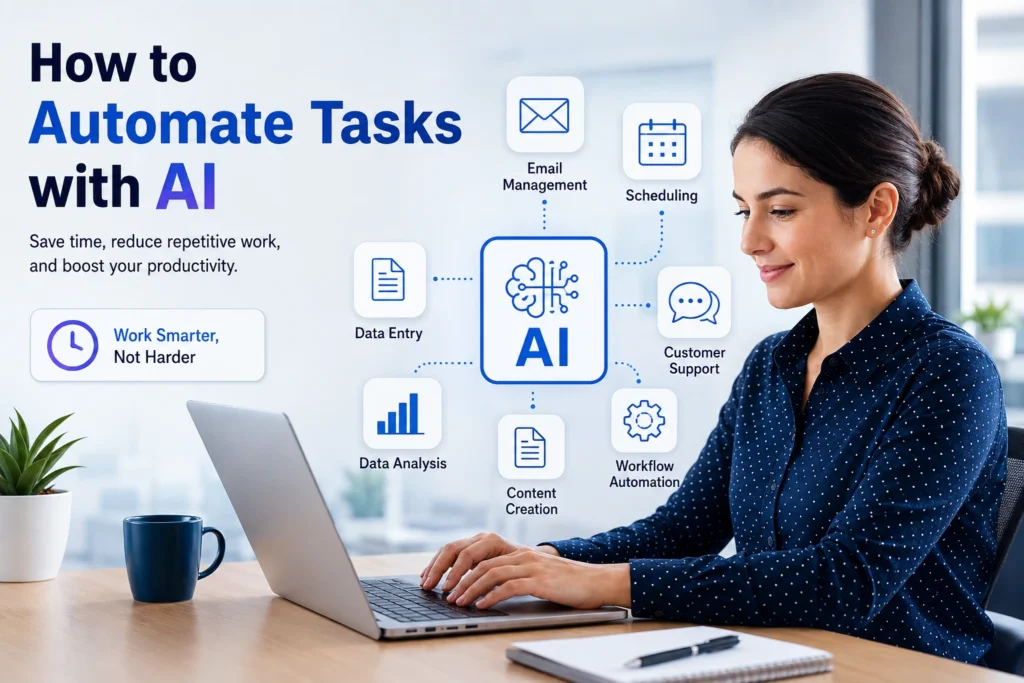
How to Automate Tasks with AI: A Complete Beginner’s Guide
Artificial intelligence is no longer a technology reserved for large corporations or software developers. Today, individuals, freelancers, small businesses, and enterprises are using AI tools to automate repetitive tasks, improve efficiency, and save valuable time.
Whether you’re managing emails, creating content, analyzing data, scheduling meetings, or handling customer inquiries, AI can automate many routine activities that consume hours every week.
In this guide, you’ll learn how to automate tasks with AI, which tasks can be automated, the best AI tools available, and practical steps to get started.
Featured Snippet Answer
How can you automate tasks with AI?
You can automate tasks with AI by using AI-powered tools to handle repetitive activities such as email management, data entry, content creation, scheduling, customer support, and workflow management. Simply identify repetitive tasks, choose the right AI tool, connect it to your workflow, and allow the system to perform actions automatically based on predefined rules or intelligent predictions.
What Is AI Task Automation?
AI task automation refers to using artificial intelligence software to perform tasks that normally require human effort. Unlike traditional automation, AI can analyze information, understand context, learn patterns, and make decisions based on data.
For example:
- Automatically sorting emails
- Generating reports
- Creating social media posts
- Scheduling appointments
- Answering customer questions
- Organizing documents
- Extracting information from files
The goal is simple: reduce manual work and increase productivity.
Why Businesses Are Automating Tasks with AI
Organizations worldwide are adopting AI automation because it offers several advantages:
Time Savings
Employees spend a significant amount of time on repetitive tasks. AI can complete many of these activities within seconds.
Increased Productivity
Teams can focus on strategic work instead of routine administrative tasks.
Reduced Human Error
AI systems can process information consistently, reducing mistakes caused by manual handling.
Lower Operational Costs
Automating repetitive processes often reduces labor costs and improves efficiency.
Faster Decision-Making
AI tools can analyze large amounts of data quickly, helping businesses make informed decisions.
Common Tasks You Can Automate with AI
1. Email Management
AI can:
- Categorize emails
- Draft responses
- Prioritize important messages
- Filter spam
- Schedule follow-ups
This helps professionals maintain organized inboxes without spending hours every day.
2. Content Creation
Content marketers and bloggers use AI to:
- Generate article outlines
- Create social media captions
- Write product descriptions
- Produce email newsletters
- Brainstorm content ideas
Human review remains important, but AI significantly speeds up the process.
3. Customer Support
AI chatbots can:
- Answer common questions
- Resolve basic issues
- Collect customer information
- Route inquiries to support agents
This improves response times and customer satisfaction.
4. Data Entry and Processing
AI can extract information from:
- PDFs
- Invoices
- Forms
- Receipts
- Spreadsheets
Automated data processing reduces manual workload and improves accuracy.
5. Scheduling and Calendar Management
AI assistants can:
- Schedule meetings
- Send reminders
- Manage calendars
- Coordinate appointments
This eliminates much of the back-and-forth communication involved in scheduling.
6. Social Media Management
AI tools help automate:
- Content scheduling
- Caption creation
- Hashtag suggestions
- Audience engagement analysis
- Performance reporting
This allows creators and businesses to maintain a consistent online presence.
Step-by-Step Guide to Automating Tasks with AI
Step 1: Identify Repetitive Tasks
Start by listing tasks you perform repeatedly.
Examples include:
- Sending similar emails
- Updating spreadsheets
- Creating reports
- Scheduling appointments
- Posting on social media
These are excellent candidates for automation.
Step 2: Calculate Time Spent
Estimate how much time each task consumes weekly.
Prioritize tasks that:
- Take significant time
- Follow predictable patterns
- Require minimal human judgment
Step 3: Choose the Right AI Tool
Different tools specialize in different functions.
Look for solutions that offer:
- Workflow automation
- AI-powered decision making
- Integration with your existing software
- User-friendly interfaces
Step 4: Create Automated Workflows
Design workflows that define:
- Trigger events
- Actions to perform
- Conditions and rules
- Notifications and approvals
For example:
New customer inquiry → AI categorizes request → Sends response → Creates support ticket.
Step 5: Test Before Full Deployment
Run small-scale tests to ensure:
- Accuracy
- Reliability
- Proper integrations
- Desired outcomes
Adjust workflows as needed.
Step 6: Monitor and Improve
Review performance regularly.
Track:
- Time saved
- Error reduction
- Productivity gains
- User feedback
Optimization helps maximize long-term benefits.
Best AI Automation Use Cases for Professionals
For Bloggers
- Keyword research assistance
- Content planning
- SEO optimization
- Content repurposing
- Email newsletter creation
For Small Businesses
- Customer service automation
- Invoice processing
- Lead management
- Appointment scheduling
- Marketing automation
For E-Commerce Stores
- Product description generation
- Customer support
- Inventory monitoring
- Order tracking
- Sales reporting
For Data Analysts
- Report generation
- Data cleaning
- Trend identification
- Dashboard updates
- Forecasting support
Challenges of AI Automation
While AI automation offers many benefits, it’s important to understand potential limitations.
Data Privacy Concerns
Businesses should ensure sensitive information is protected when using AI platforms.
Initial Setup Time
Creating effective workflows requires planning and testing.
Human Oversight Is Still Necessary
AI can make mistakes or misinterpret information, so regular monitoring remains essential.
Tool Compatibility
Not all platforms integrate seamlessly with existing systems.
Best Practices for Successful AI Automation
To achieve the best results:
- Start with simple tasks
- Automate one workflow at a time
- Review outputs regularly
- Maintain human oversight
- Train team members on new processes
- Continuously optimize workflows
Successful automation is a gradual process rather than an overnight transformation.
The Future of AI Task Automation
AI automation is becoming more advanced each year. Future systems are expected to handle increasingly complex workflows, understand context more accurately, and collaborate more effectively with human teams.
Businesses that adopt AI automation early can gain significant competitive advantages through improved efficiency, lower costs, and faster operations.
As AI technology continues to evolve, task automation will become an essential part of everyday work across nearly every industry.
Conclusion
Learning how to automate tasks with AI can dramatically improve productivity and reduce the burden of repetitive work. From managing emails and customer support to content creation and data processing, AI offers practical solutions that save time and increase efficiency.
The best approach is to start small, automate repetitive tasks first, and gradually expand automation across your workflow. With the right strategy and tools, AI can help individuals and businesses accomplish more while focusing on higher-value activities.
FAQs
What tasks can AI automate?
AI can automate emails, scheduling, customer support, content creation, data entry, document processing, reporting, and social media management.
Is AI automation suitable for small businesses?
Yes. Many affordable AI tools are designed specifically for freelancers, startups, and small businesses looking to improve efficiency.
Do I need coding skills to automate tasks with AI?
No. Most modern AI automation platforms offer no-code or low-code solutions that are easy to set up and use.
Can AI completely replace human workers?
AI is best used to assist humans by automating repetitive tasks. Human oversight, creativity, and decision-making remain important in most workflows.
What is the biggest benefit of AI automation?
The biggest benefit is saving time while improving productivity, accuracy, and operational efficiency.