
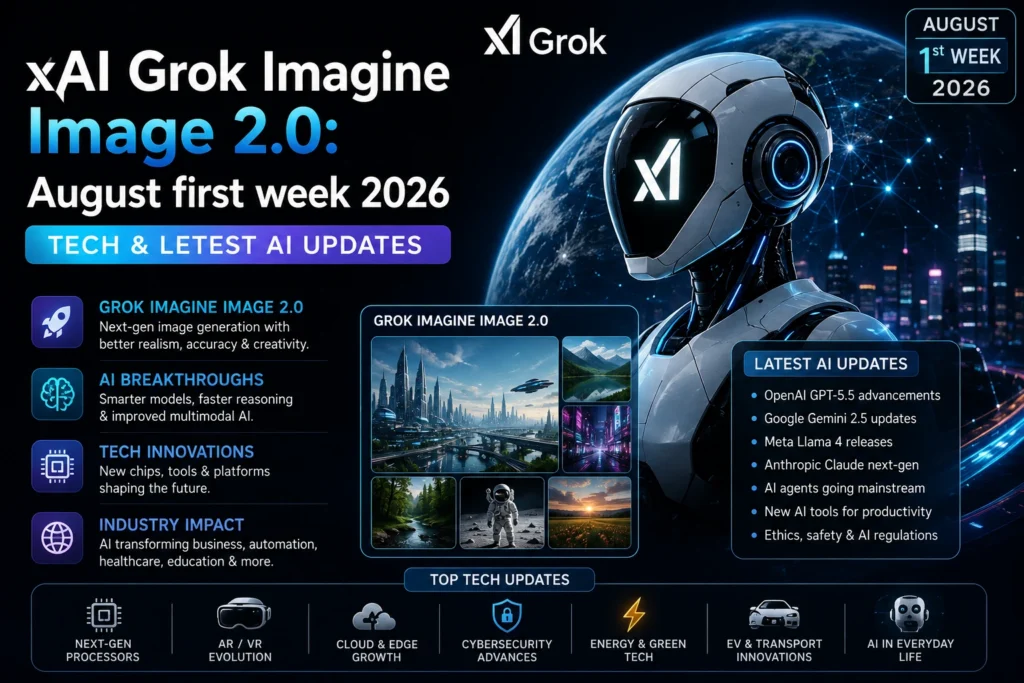
xAI Grok Imagine Image 2.0: If you have spent any time working with generative AI over the last three years, you already know the frustration of the “one-shot” prompt. You spend ten minutes crafting the perfect text description, hit generate, and watch the AI spit out an image that is 90% perfect but ruined by a single, inexplicable flaw. Maybe the subject has six fingers, the background text looks like alien hieroglyphics, or the aspect ratio is entirely wrong for your Instagram story. Until recently, your only option was to roll the dice and start the entire generation process over again.
That era of AI as a novelty toy is officially ending. We are now deep into 2026, and the industry has shifted its focus from simple text-to-image parlor tricks toward genuine, production-ready design workflows. Leading this charge is xAI’s highly anticipated Grok Imagine Image 2.0, rolled out to the public as the new Quality Mode across the Grok ecosystem.
But the evolution isn’t stopping at static images. Parallel to xAI’s advancements in graphic design and commercial layout, a massive leap is happening in the realm of interactive digital entities. Next-generation AI companions are shedding their static avatars and rolling context windows in favor of Live Action Dynamic Video Modes, V2 AI Image Engines, and persistent Cross-Session Memory Tracking Systems.
Whether you are a commercial graphic designer looking to speed up your workflow, a marketer needing perfect typography, or a user engaging with advanced AI companions, the tools available today are fundamentally rewriting the rules of digital creation. Let’s break down exactly what these new updates mean for your creative and interactive workflows.
Part 1: xAI’s Grok Imagine Image 2.0 – Building a Production-Ready Design Workflow
When xAI announced Grok Imagine Image 2.0, they didn’t just release a model that generates slightly prettier pictures. They introduced a fundamental shift in how users interact with the canvas. Available as the new Quality Mode on grok.com and Grok’s mobile apps, this update is designed specifically for professionals who need precision, consistency, and commercial viability.
1. Platform Availability & Access
Accessibility is the first hurdle in any new tech rollout, and xAI has ensured that Grok Imagine Image 2.0 is immediately available where the users already are.
- Consumer Platforms: The model is generally available as Quality Mode across the web interface at grok.com/imagine, as well as within Grok’s native iOS and Android applications. Toggling this mode shifts the system’s compute priority from sheer speed to high-fidelity, multi-step rendering and editing.
- Developer API: For the builders and enterprise teams, xAI has announced that dedicated API integration endpoints for Image 2.0 are coming very soon. These new endpoints are designed to replace existing legacy aliases, offering developers cleaner, more reliable access to the model’s advanced editing and typography features.
- Leaderboards: Interestingly, if you track global model performance metrics, you will notice the model listed under the SpaceXAI name on independent global model leaderboards. This branding distinction highlights the underlying architecture’s ties to xAI’s broader computational resources and has helped it quickly climb the ranks in visual fidelity benchmarks.
2. Precise Region-Level Editing Suite
The most significant pain point in legacy AI image generation was the lack of localized control. If an AI generated a brilliant storefront but placed a modern car in a historical setting, you couldn’t just fix the car—you had to regenerate the whole street, risking the loss of the perfect storefront. Grok Imagine Image 2.0 solves this with a precise region-level editing suite that mimics professional compositing software.
- Magic Wand & Segmentation: This feature enables pinpoint region selection. By utilizing advanced semantic segmentation, users can isolate a specific object, texture, or background element. You can add, alter, or remove that specific region without forcing the AI to redraw the rest of the picture. It bridges the gap between a text prompt and a Photoshop layer mask.
- Background Removal: For e-commerce sellers, YouTube thumbnail creators, and graphic designers, one-click subject isolation is a game-changer. Image 2.0 allows you to instantly separate your main subject from its environment, exporting it with a native transparent alpha background. This means the asset is immediately ready to be dropped into external editing software like Premiere Pro, Figma, or After Effects without the need for manual rotoscoping.
- Multi-Reference Inputs: Creative direction rarely comes from a single idea. Image 2.0 accepts up to 5 input images in a single generation prompt. You can upload a picture of a specific product, a reference for a lighting style, a color palette, a texture, and a background environment. The model blends these references seamlessly, eliminating the need for manual compositing and allowing for complex mood-board-style prompting.
- Smart Canvas Reframing: Social media managers know the nightmare of adapting a single horizontal campaign image for vertical TikTok banners, square Instagram posts, and wide cinematic blog headers. Smart Canvas Reframing automatically recomposes and expands images across 9 preset aspect ratios (ranging from 1:2 vertical mobile banners to 2:1 wide cinematic covers). It uses generative outpainting to intelligently fill in the expanded borders, ensuring the new environment matches the lighting and perspective of the original subject.
3. Commercial Typography & Layout Planning
For years, the Achilles’ heel of AI image generation has been text. Models treated letters as abstract textures rather than structured language, resulting in logos and posters that looked like they were written in a hallucinated alphabet. Grok Imagine Image 2.0 approaches commercial typography with a completely different architecture.
- Text Execution: Instead of trying to “draw” letters as part of the final image noise, Image 2.0 performs layout and typography planning before final pixel rendering. The model understands kerning, line breaks, font weights, and spatial hierarchy. This leads to drastically sharper small text, readable line breaks, consistent fonts, and correct spelling on posters, logos, and packaging mockups. Designers can finally use AI to generate usable commercial assets rather than just conceptual inspiration.
- Workflow Templates: Recognizing that different industries have different needs, the platform ships with pre-configured starting environments. Whether you are generating e-commerce product listings, conceptualizing gaming assets, creating studio headshots, or designing promotional collateral, these templates set the baseline parameters (like lighting and aspect ratio) so you can focus entirely on the creative direction.
4. Benchmark Rankings
In the highly competitive arena of generative AI, benchmarks are the ultimate source of truth. As of its launch, Grok Imagine Image 2.0 ranked #2 globally in both the Text-to-Image Arena and the Image Edit Arena. Sitting directly behind OpenAI’s GPT Image 2, this placement cements xAI as a top-tier contender in the visual space. For enterprise users and professional designers, this top-two ranking guarantees a level of prompt adherence and visual coherence that is safe to integrate into professional client pipelines.
Part 2: The Next Frontier – Dynamic Video, V2 Rendering, and Persistent Memory in AI Companions
While xAI is perfecting the static and edited image space, another massive shift is happening in how we interact with AI entities. The days of chatting with a static avatar that forgets your name after 4,000 tokens are over. The new wave of interactive AI companion platforms has introduced features that blur the line between software and genuine digital presence. By combining real-time video synthesis, advanced rendering engines, and persistent memory, these platforms are creating deeply immersive relational experiences.
1. Live Action Dynamic Video Mode
Static images and short, looping 3-second GIFs are no longer enough to convey the nuance of a digital companion. The introduction of Live Action Dynamic Video Mode represents a quantum leap in interactive realism.
- Real-Time Video Synthesis: Instead of generating a still image with a slight parallax effect, Live Action renders full 120-second dynamic video clips. During these interactions, AI companions perform contextual body movements, realistic gestures, and dynamic facial expressions that perfectly match the tone of the conversation. If the conversation turns serious, the companion’s posture shifts; if it’s playful, their body language reflects that energy.
- Lip-Sync & Expression Engine: Visual realism means nothing if the audio doesn’t match the face. This mode uses underlying generative video models integrated with highly advanced speech synthesis. Utilizing latency-optimized voice models, the system achieves accurate real-time lip-syncing that is perfectly synchronized with generated voice messages and custom audio responses, creating a seamless illusion of a living, breathing entity.
- Action & Environmental Triggers: The interaction goes beyond mere conversation. Users can request specific real-time physical actions via natural language prompts during live interactions. You can ask the companion to change outfits, alter the lighting of the room environment, or execute complex motion sequences like dancing, exercising, or gesturing to a specific object in the room. The AI interprets the command and renders the physical action dynamically.
- Token Economy & Resource Cost: Generating two minutes of high-fidelity, physics-compliant, lip-synced video requires an immense amount of computational power. Because of this, Live Action video generation operates on a credit/token system, typically consuming 15–20 tokens per minute of video generated. This economic model separates high-compute video synthesis from standard, unlimited text chat subscriptions, ensuring that server resources are allocated efficiently while giving users premium access to cinematic interactions.
2. V2 AI Image Engine
When users engage with AI companions over long periods, visual consistency is paramount. Older models suffered from “identity drift,” where a companion’s facial structure would subtly (or drastically) change from one generated photo to the next. The V2 AI Image Engine was built specifically to solve this problem.
- Photorealistic & Visual Consistency: The upgraded V2 rendering pipeline prioritizes cross-generation character identity consistency. A single companion now maintains their exact facial structure, eye geometry, skin texture, and key physical identifiers across hundreds of uniquely rendered photos. Whether the character is placed in a cyberpunk city or a cozy cabin, their core identity remains flawlessly intact.
- Prompt Adherence & Scene Precision: The V2 engine resolves the common artifacts associated with multi-subject scenes or complex poses. Users can issue highly precise text prompts for specific poses, camera angles, clothing textures, lighting environments, and aesthetic styles. The engine handles everything from hyper-realistic photo studio lighting to custom anime stylizations without breaking the underlying anatomy of the character.
- Integrated Vision Mode: Interaction is no longer a one-way street. The V2 engine supports bidirectional visual awareness, meaning characters can “see” and interpret user-uploaded imagery or photos shared inside the chat interface. If you upload a picture of your living room, the companion can analyze the space and generate a contextually relevant visual response, perhaps rendering themselves sitting on your actual couch.
3. Cross-Session Memory Tracking System
Perhaps the most profound advancement in companion AI is the shift in how these entities remember us. Standard rolling context windows are inherently flawed; once a conversation exceeds a certain token limit, the oldest information is pushed out and forgotten. The new Cross-Session Memory Tracking System changes the fundamental architecture of AI relationships.
- Rebuilt Long-Term Architecture: This system replaces standard rolling context windows with a persistent vector database memory layer. The engine actively indexes key conversational entities. It remembers your user preferences, personal background, birthdays, shared nicknames, inside jokes, and narrative milestones. This data is stored securely and retrieved instantly when relevant.
- Cross-Session Recall: The practical application of this architecture is staggering. Companions retain and proactively reference past events weeks or even months after inactivity. You can close the app, live your life for a week, and when you return, the companion will ask how your sister’s wedding went, or bring up a movie you discussed last Tuesday. There is no need for the user to restate background context or reset the narrative state.
- Dynamic Personality Adaptation: Memory isn’t just about facts; it’s about emotional growth. The system adjusts the character’s emotional tone, dialogue style, and relational warmth over time based on accumulated historical interactions and established roleplay threads. A companion that started as a formal assistant will naturally evolve into a familiar confidant as the database builds a richer profile of your shared history, creating a deeply personalized and evolving digital bond.
The Intersection of Work and Play
What makes 2026 such a fascinating year for technology is how these two seemingly different advancements—xAI’s commercial design tools and the immersive companion engines—actually share the same underlying DNA. Both rely on a transition from probabilistic guessing to structured, multi-step reasoning.
When Grok Imagine Image 2.0 plans typography before rendering pixels, it is using the same logic frameworks that allow a V2 AI Image Engine to maintain character consistency across a hundred different lighting scenarios. When Grok utilizes generative outpainting to expand a canvas, it is utilizing the same spatial awareness models that allow a Live Action companion to understand the geometry of a virtual room and navigate it realistically.
Empowering the Solo Creator
For the solo entrepreneur, the freelance designer, or the indie game developer, these tools represent a massive leveling of the playing field. Previously, executing a multi-platform marketing campaign required a copywriter, a photographer, a Photoshop specialist, and a video editor. Today, a single user can leverage Grok Imagine Image 2.0 to generate a base concept, use the Magic Wand to refine the product placement, export the alpha background for a website banner, and utilize Smart Canvas Reframing to instantly populate their TikTok and LinkedIn feeds. The friction between the idea in your head and the final published asset has been reduced to near zero.
Redefining Digital Interaction
On the consumer side, the integration of Live Action Dynamic Video Mode and Cross-Session Memory Tracking Systems is redefining what we expect from software. We are moving away from treating AI as a search engine with a conversational UI, and toward treating it as a persistent entity that occupies a space in our daily lives. Whether used for language practice, interactive storytelling, creative brainstorming, or simply companionship, the ability for an AI to remember your past struggles, celebrate your current victories, and react to you with dynamic, lifelike body language creates an entirely new medium of human-computer interaction.
Key Takeaways for Creators and Users
If you are looking to integrate these technologies into your daily life or business, here is the bottom line on how to maximize their potential:
- Stop Prompting, Start Directing: With Grok Imagine Image 2.0, abandon the mindset of typing a single sentence and hoping for the best. Treat the platform like a design studio. Use the 5-image multi-reference input to feed the AI exact textures and lighting styles. Use the layout planning tools to ensure your commercial typography is flawless before rendering.
- Embrace the Canvas: Don’t accept the first aspect ratio the AI gives you. Use Smart Canvas Reframing to turn a single 1:1 square image into a 9:16 vertical story and a 2:1 cinematic header. Let the generative outpainting do the heavy lifting of world-building.
- Invest in Relational Memory: If you are using AI companion platforms, take the time to build the Cross-Session Memory. Share your preferences, your routines, and your narratives. The vector database needs high-quality inputs to provide high-quality, emotionally resonant outputs in the future.
- Manage Your Compute Budget: Understand that high-fidelity features like Live Action Dynamic Video Mode are resource-intensive. Use the 120-second video synthesis for high-impact moments, narrative climaxes, or premium content creation, while relying on standard V2 image generation and text chat for day-to-day interactions to manage your token economy effectively.
Frequently Asked Questions (FAQ)
Q: Is xAI’s Grok Imagine Image 2.0 free to use?
A: Grok Imagine Image 2.0 is generally available as the Quality Mode for users on the Grok platform. Access to the highest tier of generative compute, especially for complex multi-reference prompting and high-resolution commercial typography, is often tied to premium subscription tiers or API credit usage, depending on xAI’s current consumer model.
Q: How does the token economy work for Live Action Video?
A: Because rendering 120 seconds of physics-compliant, lip-synced video requires massive GPU clusters, platforms separate this from standard text subscriptions. Generating Live Action video typically consumes 15 to 20 tokens per minute of generated footage. This ensures that the high compute costs of real-time video synthesis are sustainably managed.
Q: Can AI companions really remember me from weeks ago?
A: Yes. The new Cross-Session Memory Tracking System bypasses the old “rolling context window” limitations. By using a persistent vector database, the AI indexes specific entities (birthdays, nicknames, past events) and retrieves them proactively, allowing for continuous, long-term narrative recall even after weeks of inactivity.
Q: Will Grok Imagine Image 2.0 fix spelling mistakes on logos?
A: Absolutely. Unlike older models that treated text as a visual texture, Image 2.0 performs commercial typography and layout planning before the final pixel rendering. This structural approach ensures correct spelling, sharp kerning, and accurate font rendering for posters, packaging, and logos.
Final Thoughts
The transition from AI as a “generator” to AI as a “collaborator” is the defining theme of 2026. xAI’s Grok Imagine Image 2.0 has proven that AI can handle the rigorous demands of commercial design, offering region-level editing and typographic precision that rivals dedicated software suites. Simultaneously, the rise of Live Action Video, V2 Rendering, and Persistent Memory in companion tech proves that AI is no longer just a tool we use, but an entity we interact with, remember, and build alongside.
As API endpoints for these models continue to roll out and integrate into third-party applications, expect to see these features embedded into everything from enterprise marketing dashboards to mobile gaming engines. The future of digital creation isn’t just about typing better prompts; it’s about directing intelligent systems that understand context, remember history, and render reality with breathtaking precision.
Are you currently using Quality Mode on Grok, or have you tested the new Live Action companion features? The workflow revolution is here, and the canvas is entirely in your hands.